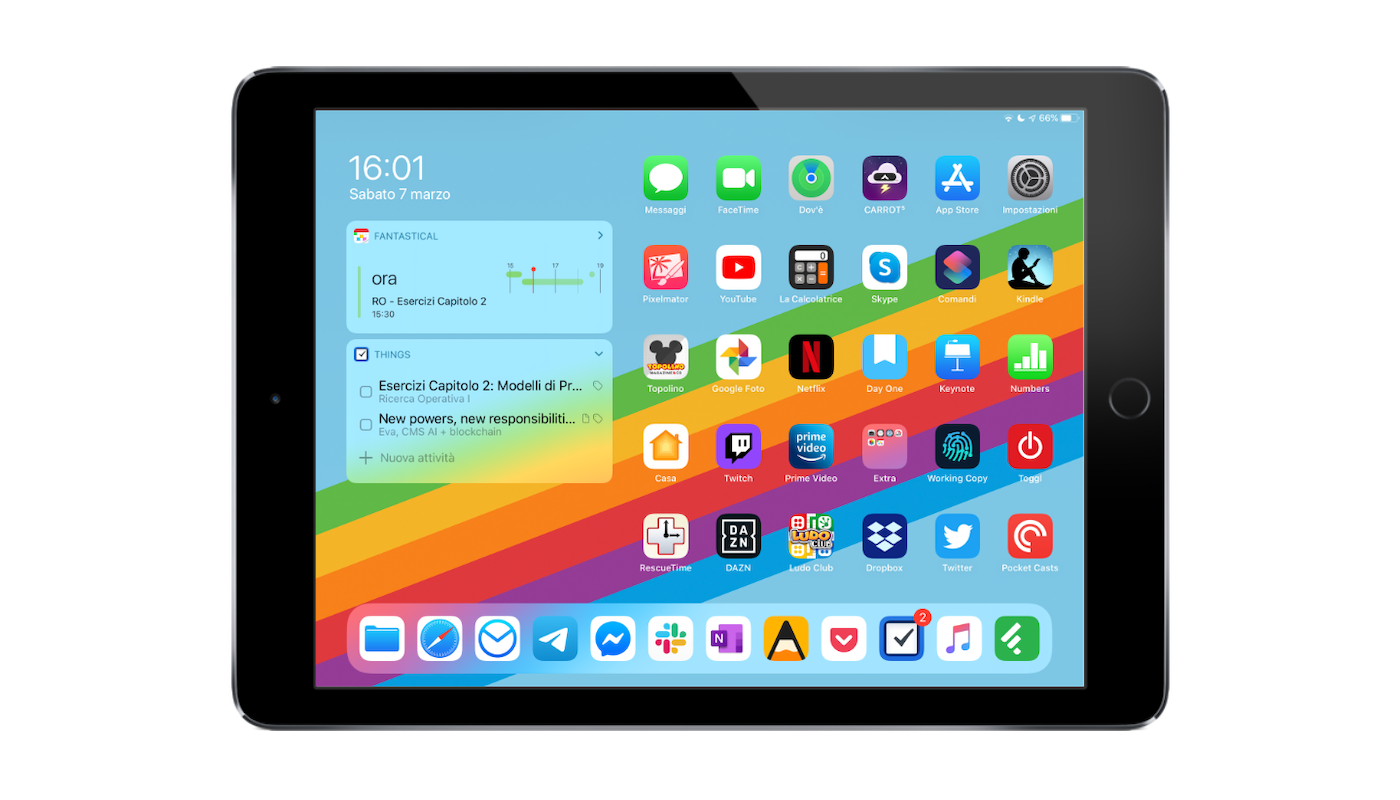
Homescreen 2020 - iPad
Reading Time: 4-6 minutes
For many, the iPad is the perfect replacement for the desktop experience. Federico Viticci of MacStories succeeded, but I didn’t. For me, the iPad is a companion tool for my daily activities, in specific circumstances.
With iPadOS 13 on an iPad Pro 9.7 bought in 2016, I took advantage of widgets on the homescreen to make everything more easily accessible right from the first page. Since I don’t use the iPad for every context, moreover, I was able to simplify the display of apps on a single page.
Widgets
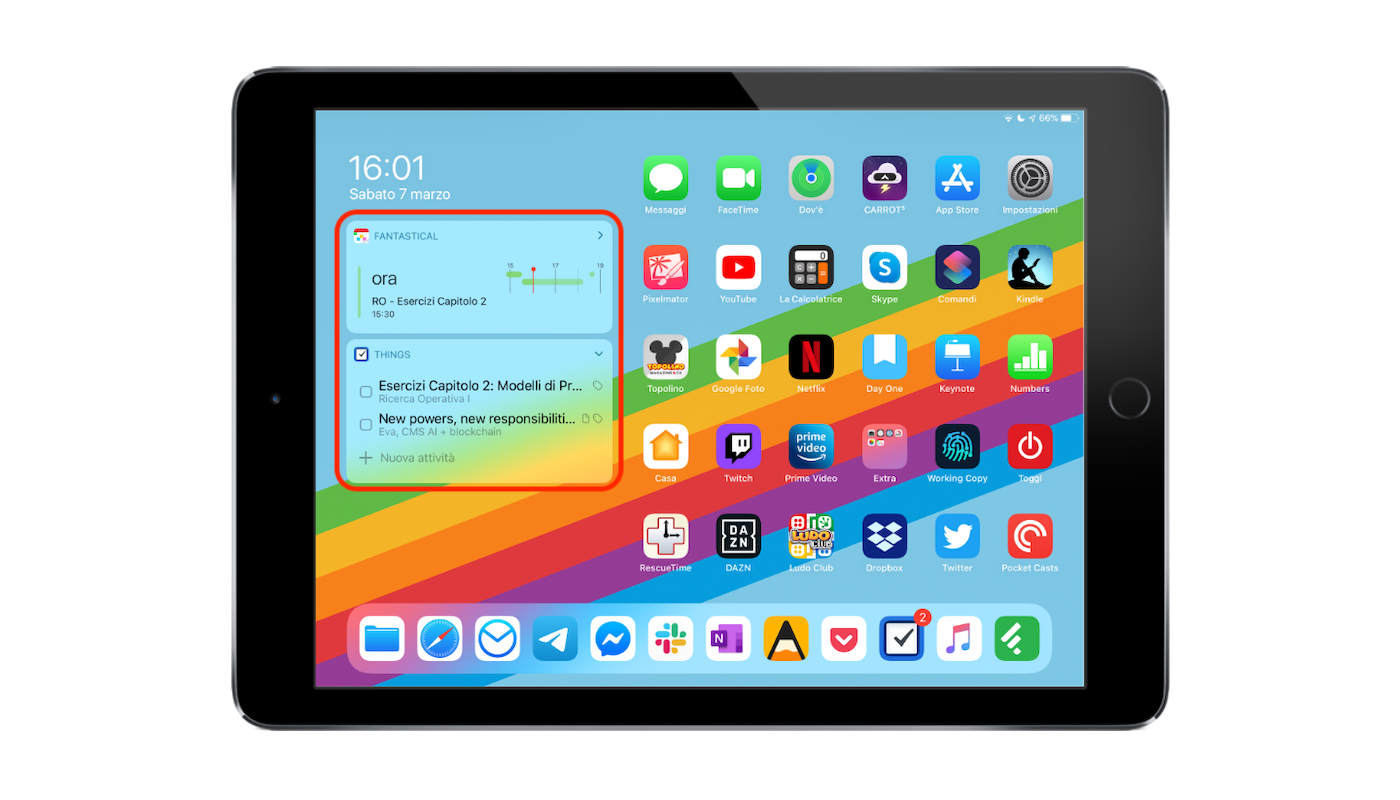
My daily routines always revolve around the same two applications: Things and Fantastical. And so these two apps are present on the homescreen with widgets. The Fantastical widget is the top one, and it shows the timeline of events in the immediate temporal vicinity: it is very useful to understand if I am doing what I should have done according to the set plans. Immediately below is the Things widget, which shows me what the tasks of the day are. To reinforce the sense of duty and always keep in mind what the things to do for the day are, I keep the Things app, with the badge that displays the number of tasks of the day, also in the dock.
I also have other widgets, but I use them so little that they are irrelevant for the purpose of this article.
Apps
Even for choosing the apps to use on the iPad I have a criterion, which is actually very simple and probably used, even unconsciously, by everyone: on the iPad go only the apps that fully exploit the larger screen compared to the smartphone, and the apps that on other devices would be used little.
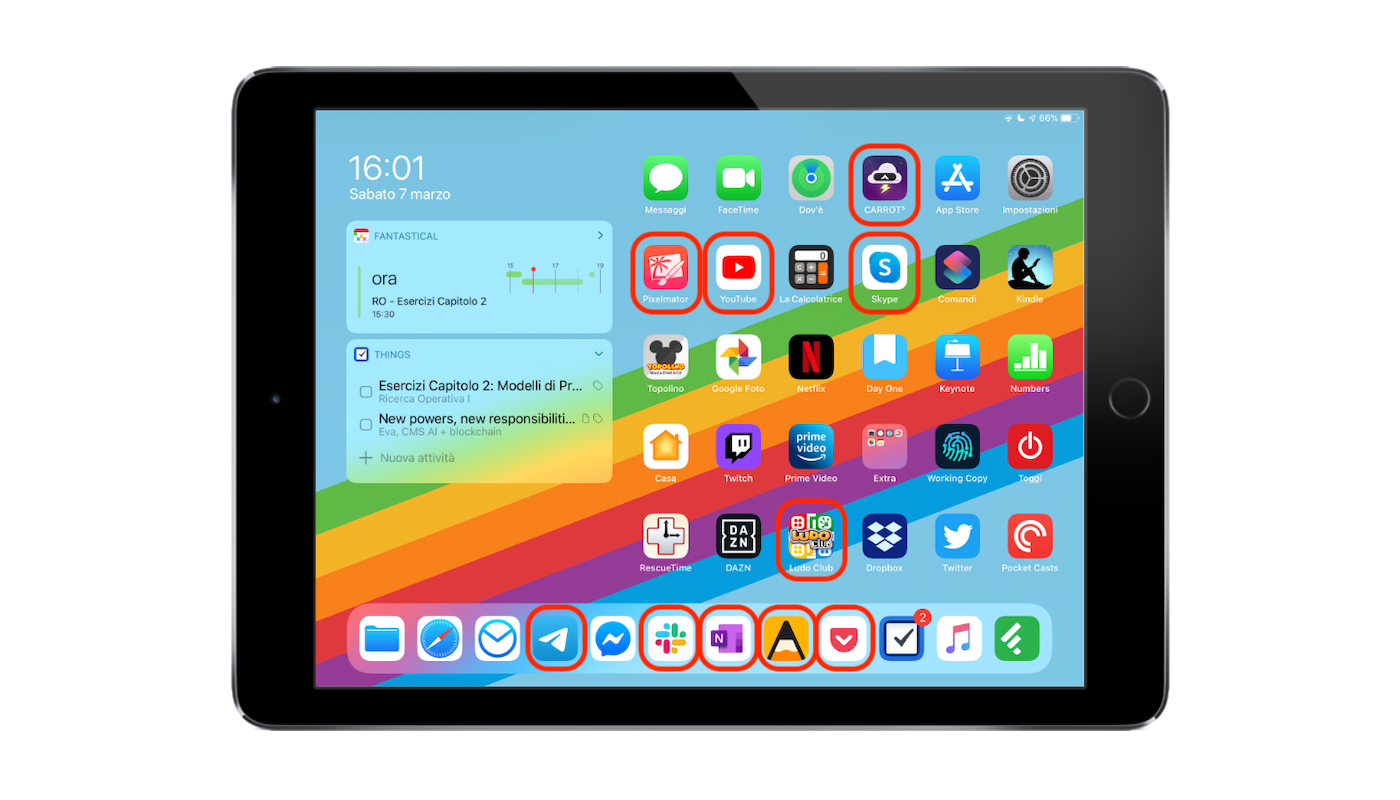
The first group includes:
- CARROT Weather, a weather app that has an excellent extended view in the iPadOS version;
- Pixelmator: it is not an app that I use a lot on iPad (because I use it much more on MacBook), but Pixelmator is really well made for iPadOS and when I need to retouch a photo or make it from scratch managing few layers, I prefer to use it on iPad;
- YouTube: I watch YouTube practically only on iPad when I am at home. On the monitor it is complicated (I have to move it so that it faces the bed, I have to put the mouse on the bedside table)
- Skype (or Zoom): For now I put Skype, but I am using Zoom more and more frequently, so I believe that at some point I will replace it. The MacBook webcam is terrible, while the iPad one is excellent, so if I have to make calls around (or even at home), sometimes I opt to use the iPad;
- Ludo Club: there must be at least one game on the iPad. I keep at most one, because otherwise I would use it more as a console than as a tool. Today there is Ludo Club, with which I often play with my girlfriend, but before there was Monopoly or even Super Mario Run. usually I choose games that have local multiplayer on the same screen, to play better;
- Telegram, Slack and Messenger: the iPad being a support, rather than a focal tool, I use it a lot as an external and independent window to communicate via Telegram, Slack and Messenger. I have notifications disabled by default on all apps and Do Not Disturb permanently active, so I can maintain continuous contacts with colleagues and friends, but not be disturbed every 5 minutes by the sound and vibration of notifications;
- OneNote: OneNote is also an app that I use as a support, to view content that I wrote with another device. When I had the Apple Pencil (which I lost a couple of years ago and never bought again), I used OneNote to take notes, but I realized that in reality the Pencil serves more to annotate than to write. Annotate on notes taken typing on the keyboard and on images taken from elsewhere;
- Agenda: usually I use Agenda on MacBook, but sometimes I happen to have a stroke of genius, a particularly creative moment and maybe I just want to write, avoiding all distractions. Since on the iPad I have disabled all notifications and keep do not disturb permanently, I am free of distractions;
- Pocket: reading saved articles on the iPad instead of on the smartphone makes a big difference, especially for a person like me who reads over 600 a year (seems little, but try counting them at the end of the year - flash news don’t count!)
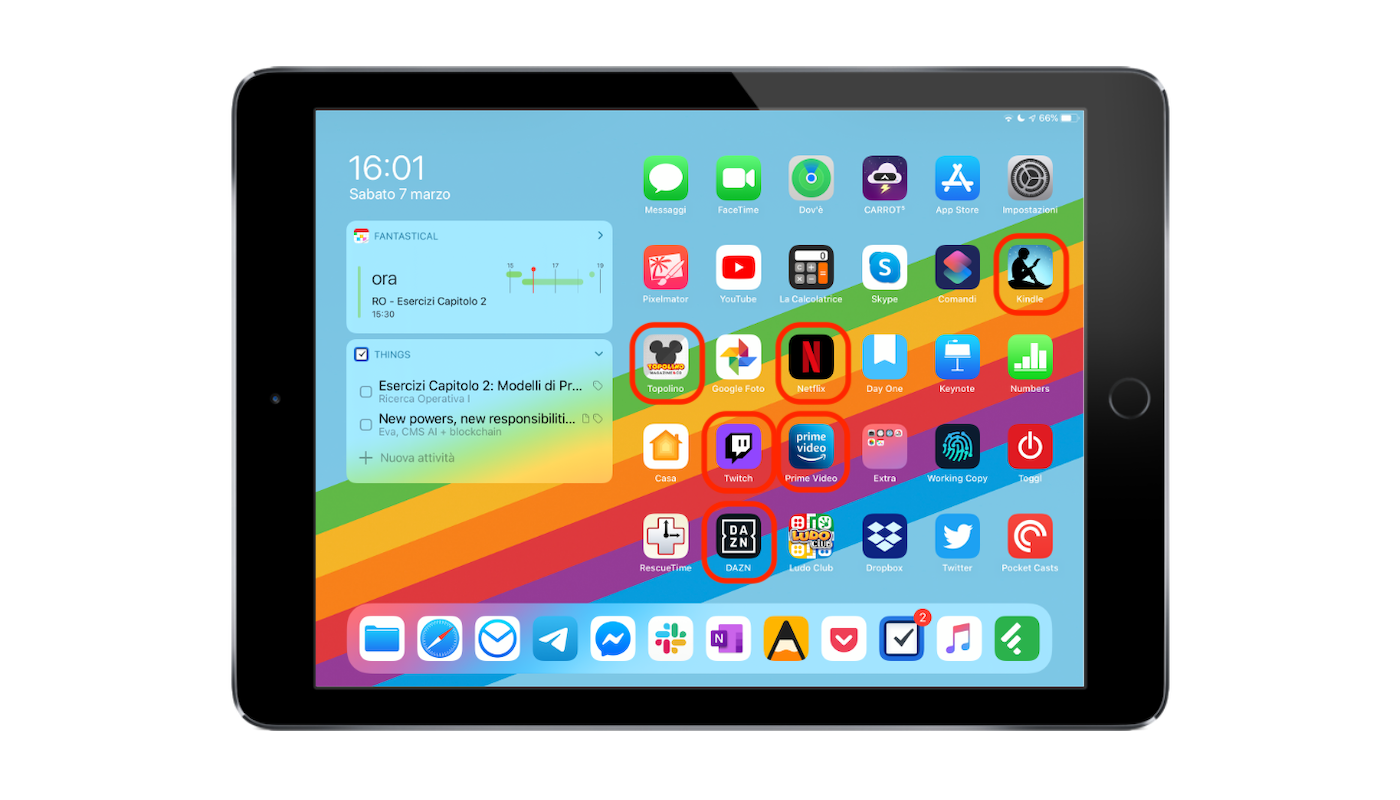
The second group, instead, includes:
- Kindle: I prefer not to use Kindle on iPad (either I use the Kindle Paperwhite, or I read directly on paper), but there are books I bought on Kindle and periods when I want to travel light. When these two conditions are met, I read on Kindle;
- Topolino (or other magazine app): yes, I still read Mickey Mouse. It relaxes me a lot. And I try to read it on the iPad. From this year I subscribed to the digital version only to avoid having more paper around that I basically keep only as a souvenir.
- Netflix and Prime Video: On the plane, on the train, on the bed, on the sofa. On the iPad I see Netflix and Prime Video in the best possible way, on the move. Unlike the website from the MacBook, I can save episodes or movies to watch them offline. Of course, if I had a Windows 2-in-1 laptop I would have the possibility to use a laptop as a tablet for this specific situation, but for now I keep my Apple devices;
- Twitch: for some months I have the habit of following eSports tournaments at least once a week. When I am at the desk, at home or in the office, and there is a live match, I keep Twitch on the iPad with wireless headphones connected while I work on the laptop or desktop. Similar speech applies to DAZN.
The other apps I chose because there is a good chance that I use them also on iPad, and they are useful to have at hand: Pocket Casts, Facetime, The Calculator, Google Photo, Day One, the iWork suite, Working Copy (I don’t happen often to write code on iPad, but it could happen to make a quick fix), Toggl, Dropbox, Twitter and Feedly. In short, the iPad is a visual and often fixed support on instant messaging and background apps.


Giacomo Barbieri
Head of Growth at Routescan. Building at the intersection of crypto infrastructure and AI agents.