Homescreen 2020 - Android
Reading Time: 3-5 minutes
If as a smartphone for work I use the iPhone, as a personal smartphone I chose Android.
The first question that comes to mind is why have two smartphones instead of one. If it is a matter of having two SIMs (personal and work), one could very well opt for a dual SIM phone: now iPhones are too - the first model was the iPhone XS (Max).
The question, however, is more complicated than this: having two smartphones means dividing in two one’s life, strongly separating the personal sphere from the working one. In cases like mine, there are, inevitably, common elements between the two, given that I consider myself a lucky person to do more or less always what I like for work.
But precisely for this reason, to avoid burnout, the total absorption of personal life in favor of working life, I had to find a way to make the transition from work to relaxation natural.
This translates into small daily rules, which in this moment of quarantine (in which personal and working life are closer than ever) are increasingly less feasible, but which during normal life help me a lot. For simplicity, I will use the acronym PS for the Personal Smartphone (today a Galaxy Note 10+) and WS for the Work Smartphone:
- WS is used from 9:00 to 20:00 (tendentially working hours), PS before 9:00 and after 20:00;
- On WS only one social network app at a time is installed, on PS all of them;
These are two simple rules. If there were more, it would certainly be more difficult to follow them. Instead, in this way, it is not a problem.
Starting from these premises, describing the homescreen of my Android smartphone is simple, because the smartphone that must be used for personal life must not have all the apps and workflows of working life. It must remain simple and effective. Very focused on photos (taking, seeing and sharing them), games, social networks and videos.
First page: social & fun
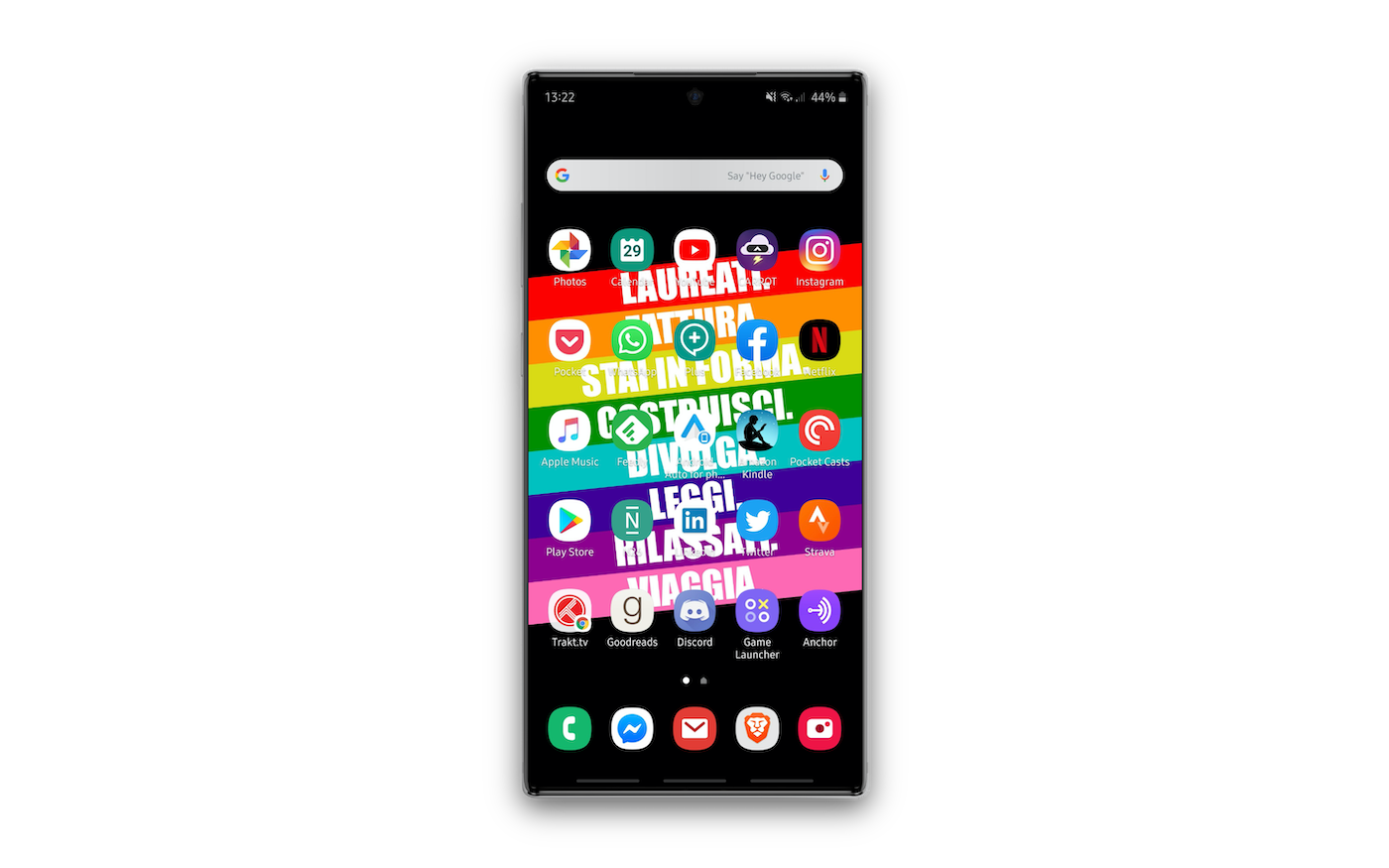
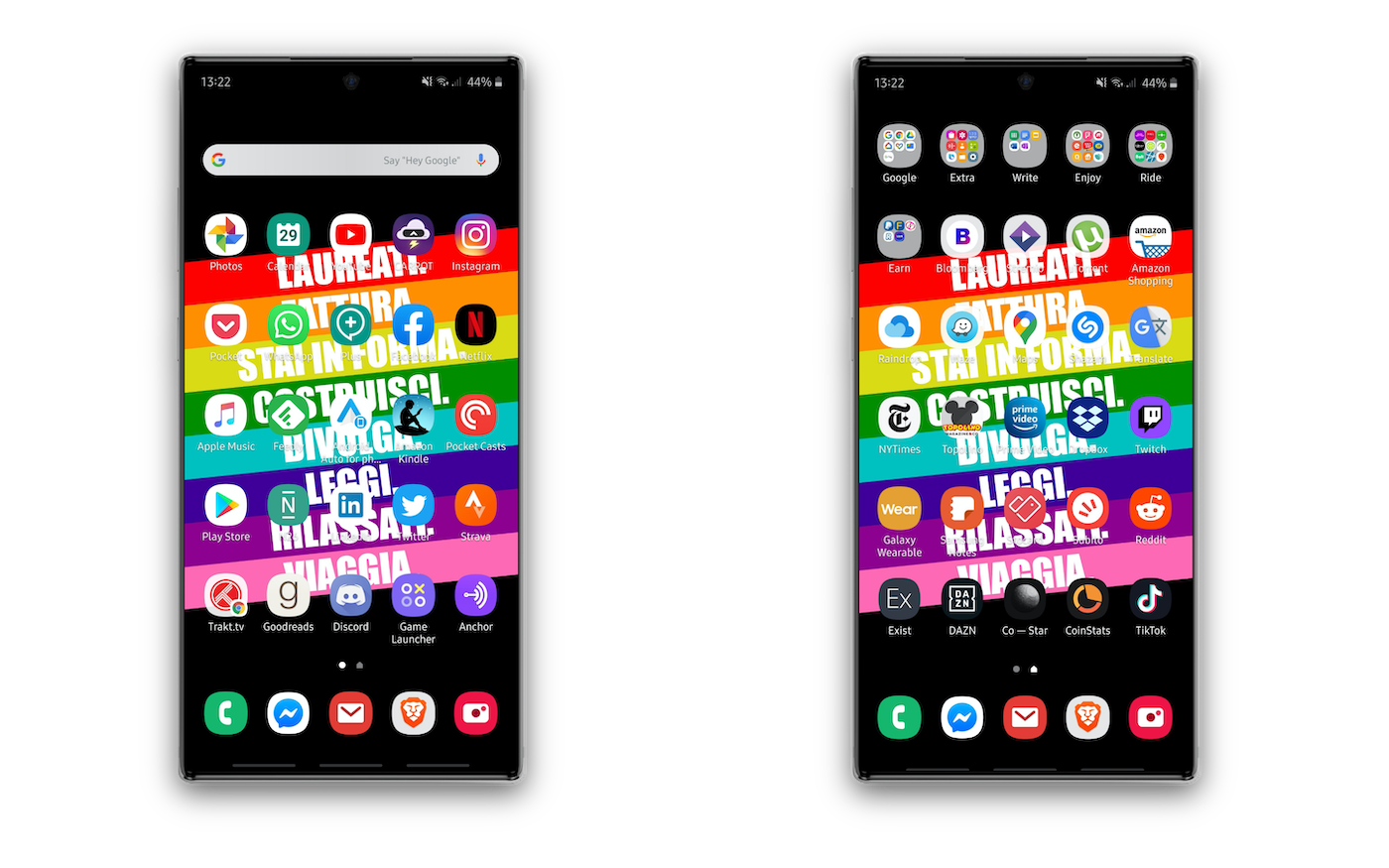
If on the iPhone I only have one social network app, on the Galaxy Note 10+ I have all of them: on the front page Instagram, Facebook, Linkedin, Twitter. There remain some apps that are on the first page of the iPhone: Google Photo, a calendar app, CARROT Weather, Whatsapp, Feedly, Pocket Casts, Strava. Since this smartphone is mainly used when I don’t work, apps that on the iPhone are hidden (because potential vehicle for distraction), here are in the foreground: for example Trakt.tv, Goodreads, Discord, Anchor, the Game Launcher (with Fortnite, Pokémon Go, FIFA Mobile, Pokémon Quest and PUBG Mobile among all).
Instead of Telegram, I use Telegram Plus, an alternative client (thanks for the report @Soffio) that better organizes conversations, dividing them into tabs for groups, bots, channels, one-on-one conversations, supergroups and special conversations. Very useful not to be distracted by the thousands of notifications that supergroups accumulate every day.
Two very important apps, and specific to the context in which I use the Android smartphone, are Android Auto for phone and Amazon Kindle: the first is a hub for simplified and hands-free access to apps used in the car. It is really Android Auto, but directly on smartphone, instead of on the car’s on-board computer. A good solution for those who do not have a car with an on-board computer compatible with Android Auto; Amazon Kindle, on the other hand, is useful because all the digital books I have I save on Kindle. I have a Kindle Paperwhite, but very often it happens that, traveling, I want to travel as light as possible and therefore carry fewer things as possible: the Kindle is the first thing I remove, because although it weighs little, it stiffens the compartment of the backpack in which it is put, effectively taking away space from more ‘flexible’ objects in shape. So having the Kindle app on the smartphone, which I carry always in the backpack, is very useful if I want to continue in the reading of my books for 2020.
Second page: miscellaneous
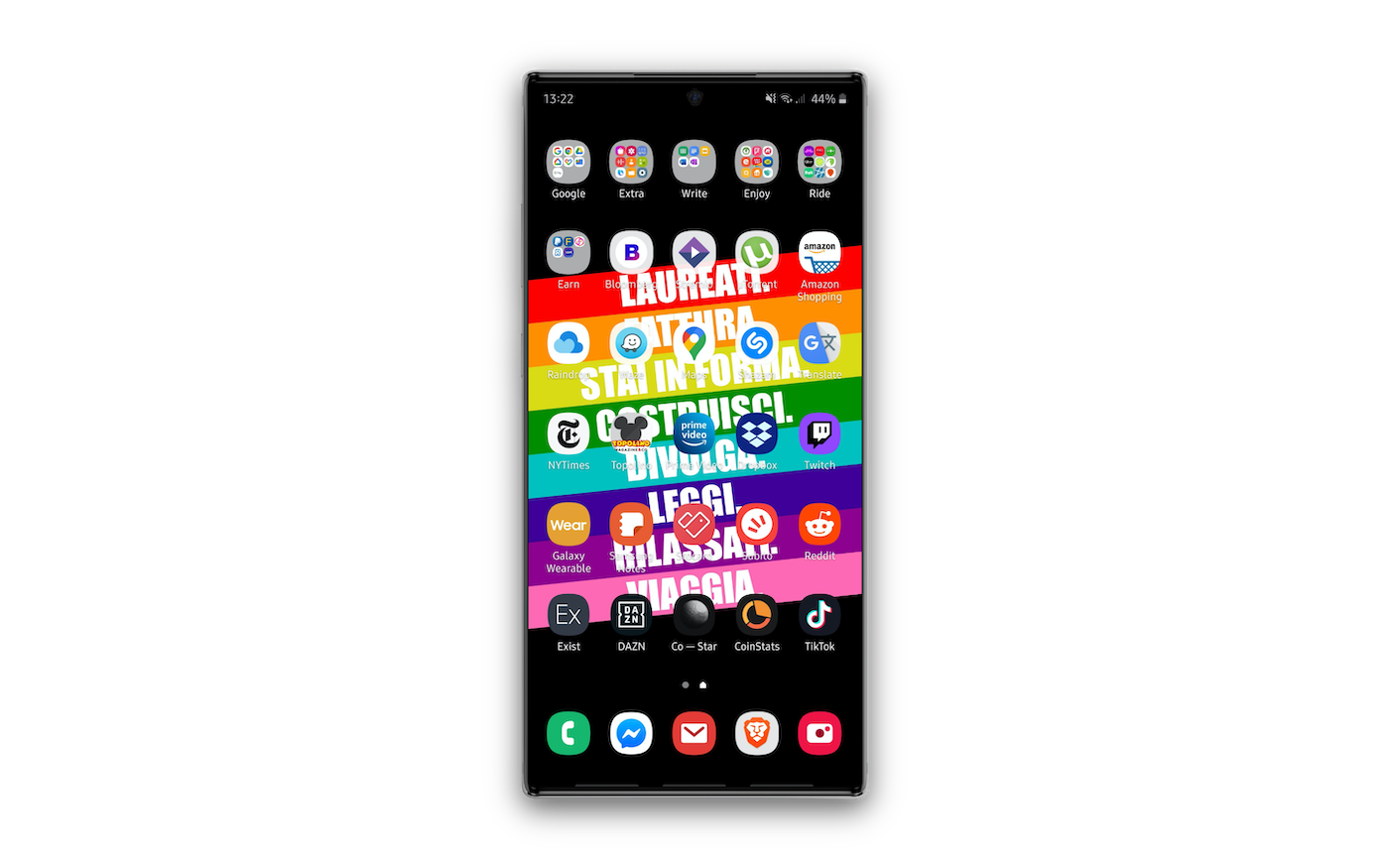
As with the third page of the iPhone homescreen, the second page of the Android smartphone is organized mainly in folders and apps that I could use with lower priority than those on the first page. In particular, the selection criterion follows the same as the first page, that is to place in plain sight the apps that recall relaxation and personal commitments.
That’s why there are Amazon, Stremio, Twitch, Prime Video, Topolino, TikTok, DAZN. All other apps are part of the category “I use it when I’m around”, namely Samsung Notes (to quickly take notes even with the screen off with the S Pen), Google Maps, Shazam. Then there are the Ride and Enjoy folders, which are respectively all those of services connected to ride sharing and leisure outside the home (The Fork, UCICinemas, Quandoo, TripAdvisor) that make no sense to put in plain sight because they are not used often, but only in specific moments: it is easier to look for them directly.
Surely the system of arranging apps on Android smartphones is not precise and tested like the M.U.D.I.S. on iPhone. In this system of mine widgets are not contemplated and the actual arrangement on the grid follows a simple color scale from top to bottom.
Surely there are better ways, but I have tried many and for now this one, the simplest one, seemed the most valid of all.


Giacomo Barbieri
Head of Growth at Routescan. Building at the intersection of crypto infrastructure and AI agents.