A simpler home screen for my LG TVs
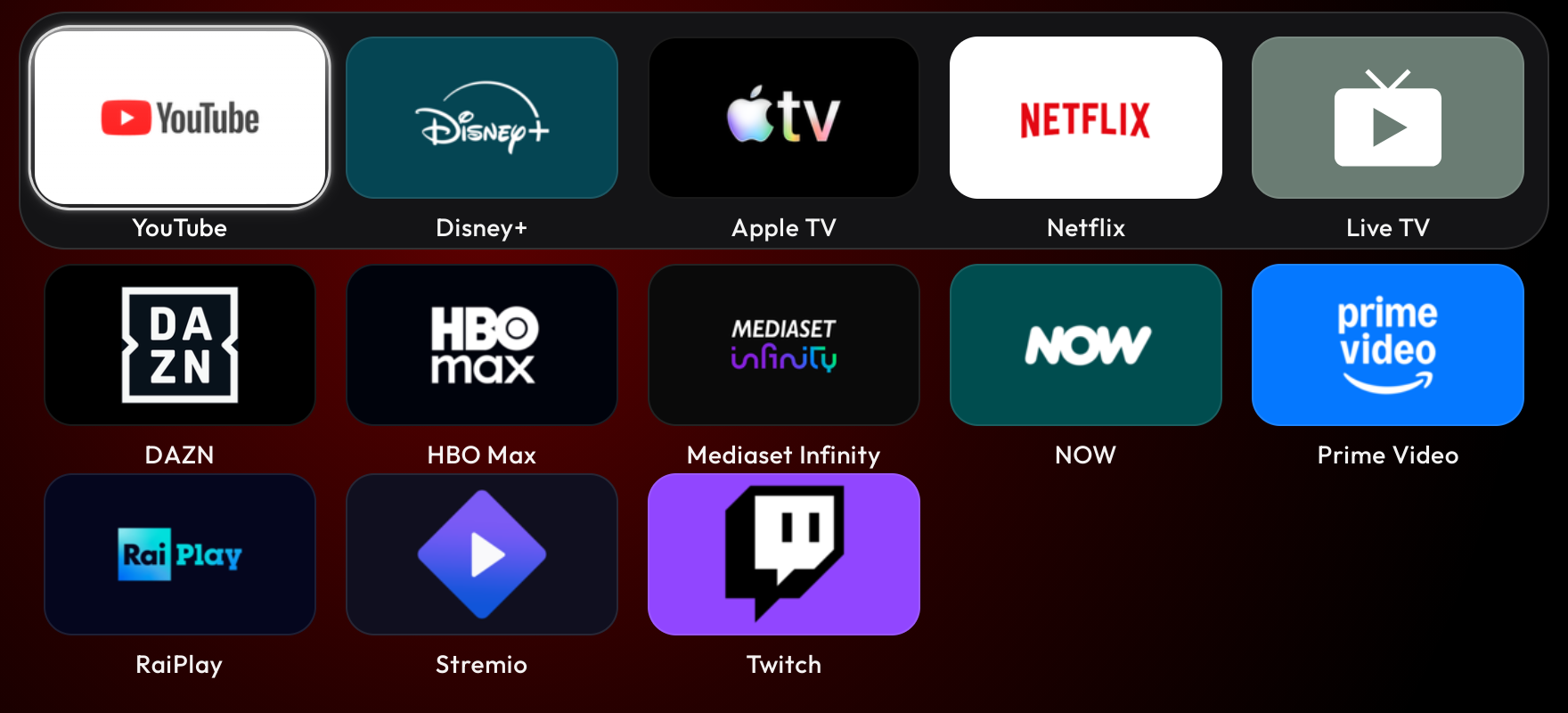
I wanted to turn on either LG TV at home and see the twelve streaming apps I use, plus Live TV. The icons had to be readable from the couch. I wanted the whole list on one screen.
I started with OmkarK97’s webos-vibehack, a port of Gathin’s Android TV launcher. It installs as an app through LG Developer Mode. I used Codex to adapt the grid, added a Live TV tile and kept labels visible under every icon. DAZN got a black tile because the TV was putting its white logo inside a white card.
A screenshot caught the first bug
On my LG 55NANO866NA, the launcher loaded the app names and all their icons. Inspecting the page showed thirteen tiles. The TV itself showed a clock and a blank area underneath.
The older browser on that set ignored the CSS inset shorthand used to size the grid. That left the container clipping the tiles. I replaced the shorthand with the four positioning properties and checked another screenshot from the TV. There’s already an upstream PR for that change.
My LG 65QNED826QB displayed the icon files. Its browser blocked the pixel reads the launcher uses to pick tile colors. The same PNG worked when loaded as a data URL. I made that change during app sync and opened a PR upstream for it.
The launcher and the watcher
The launcher runs on the TV. I can hold a number on the Magic Remote to open it through Quick Access. That works with the Mac asleep.
I also use a watcher on an awake Mac mini. It listens to each TV separately and can open the launcher when the set wakes. On the QNED, pressing Home also works because the TV reports LG Home as the foreground app. On the older set, LG Home appears as an overlay and the foreground app stays the same. I use the number shortcut there.
I checked the watcher on the mini with the laptop copies switched off. On the QNED, I opened Live TV, sent Home and watched the launcher come back. Keeping the watcher optional means the two TVs can behave differently and I still get the same grid on both.
Try it
The fork and setup instructions are on GitHub. Start with the standalone app and assign a number shortcut. There’s an example configuration for the thirteen tiles. The installer reads the apps and artwork from your own TV, and the pairing files stay on your computer. The watcher setup is a separate step if you want automatic opening.

Giacomo Barbieri
DevRel at Team1, working with builders across Avalanche. Independent builder of native apps and AI systems. Former Head of Growth at Routescan.DevRel in Team1, al fianco dei builder su Avalanche. Sviluppo app native e sistemi AI indipendenti. In precedenza Head of Growth in Routescan.