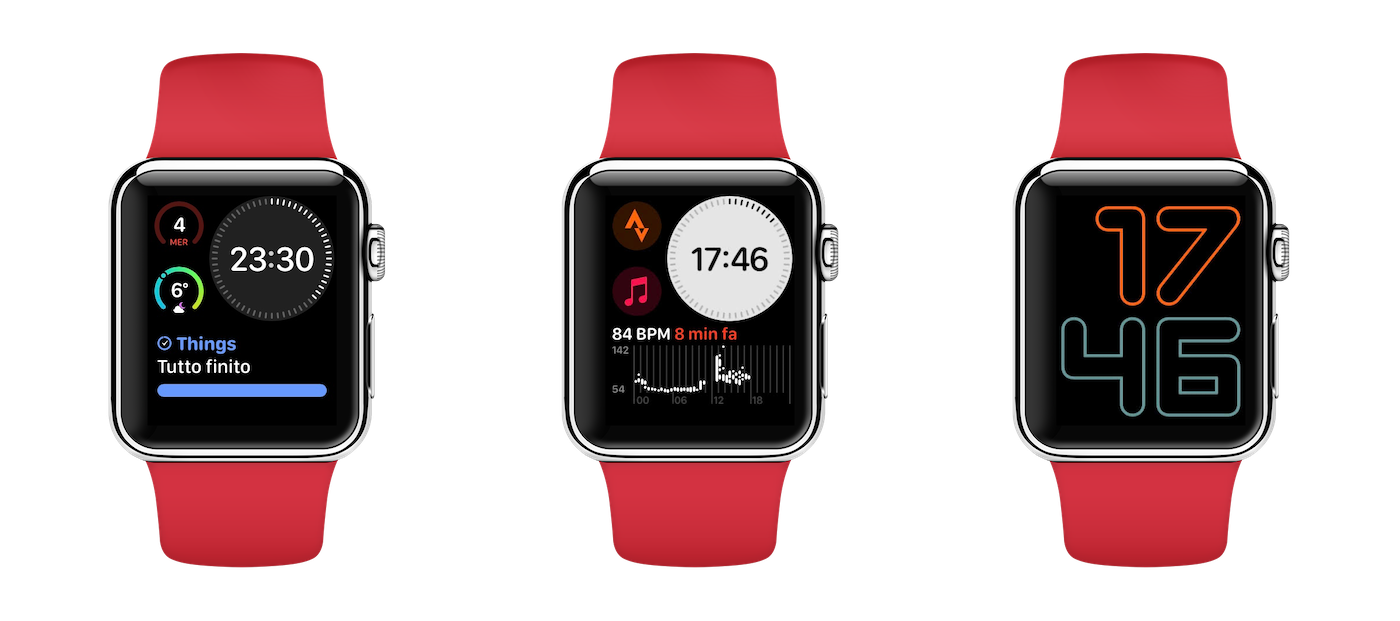
Homescreen 2020 - WatchOS
Reading Time: 5-7 minutes
Unlike what was designed for the iPhone Homescreen, the Apple Watch is the object I use less of all my devices, and this is good.
Using the Apple Watch little means using it well. Touching it as little as possible means using it well. What really counts is how much you look at it.
I raise my left wrist, where I strapped an Apple Watch Series 4 with black fluoroelastomer band, more than 100 times a day. Yet, I really touch it only when I have to start a workout and turn the bedroom lights off or on. Occasionally I also happen to use some other app, but really sporadically. Since there are no pages in watchOS of the homescreen, I will describe how I configured my watch faces, which are three and have specific functions for every situation. During the year, and based on needs, they change, but I haven’t found a framework like UMAIS to motivate in a universal way every choice. Maybe because I used the Apple Watch for much less time than the iPhone, which instead is my main device since 2011 now.
The apps
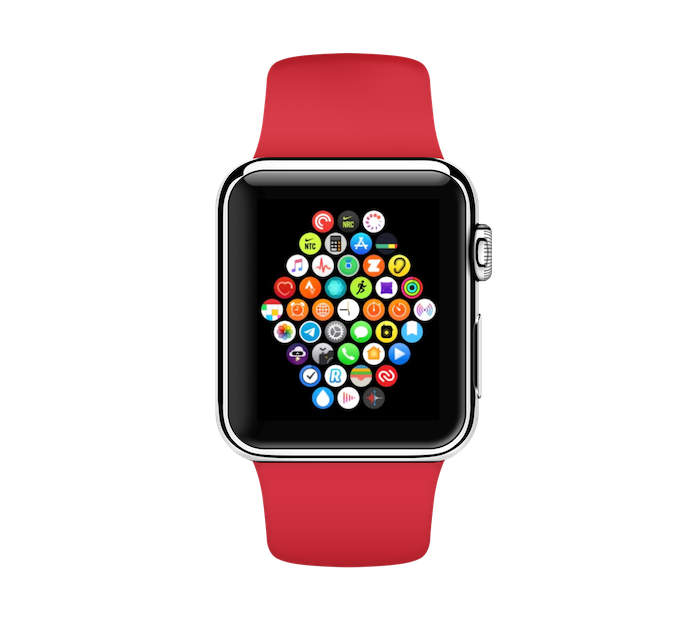
I don’t have a method yet to explain universally how I choose complications and how I arrange them in the watch face, but I already have a method to understand which apps I really need on the Apple Watch. The answer is: those apps I don’t need to touch to use.
To explain better, I imagine the Apple Watch as an iPhone filter, which shows me only the strictly necessary information. I repeat, if I interact with the Apple Watch beyond a simple glance, it means I’m not using it well.
For this reason, on the Apple Watch I have very few applications besides the native ones that I cannot delete: among all, Pocket Casts, Strava, the two Nike apps (Run Club and Training Club), App in the Air, Zwift, Pillow, Fantastical, Telegram, Day One, CARROT Weather, Things, Revolut, Authy, WaterMinder. In addition to native apps, which I cannot choose, I used three criteria to select these apps.
Frequent use
These are the apps I use at least once a day. With this criterion I selected Fantastical (the calendar), CARROT Weather (the weather), Things (to check my to-do list), Pillow (to automatically record sleep and check in the morning how much I slept during the night). To these is added Pocket Casts, which I don’t really use: I use the playback controls once I have selected the podcast to listen to on the iPhone.
Seasonal use
These are the apps I use in specific contexts and periods. With this criterion I selected Strava, Nike Run Club and Nike Training Club, Authy, App in the Air, Zwift and WaterMinder. Strava, the two Nike apps and Zwift are workout apps: the first three I use more or less often (Nike Run Club I use only when there are specific challenges on the app), while Zwift I use only when I am in the office gym (or hotel, if I am traveling), because it is an app that allows me to create virtual runs starting from runs on treadmills, connecting the iPhone to the Apple Watch and a pair of smart shoes (I have the Under Armour HOVR Infinite).
‘Ad hoc’ use
This last criterion I didn’t know how to define well: in short, there are apps that I don’t always use, and not even in recurrent specific contexts, but that I have used at least once and have proved to be extremely useful. Perhaps with examples it is better understood: with this criterion I selected Day One and Revolut. The first I use when I want to annotate something in my diary in the form of voice recording, while the second I use only in the specific situation where I am traveling, I have to withdraw money from an ATM, but maybe it is dangerous to take out the phone to check if I have money on the card (it happened to me abroad, at night): with a tap, I can check the balance and eventually make a quick top-up via Apple Pay, then withdraw the money. All without taking the smartphone out of the pocket.
Watch faces and complications
If for apps I described selection criteria, for the choice and configuration of the watch faces I orient myself based on need. Below are the three watch faces I use now, which I would like to keep for the rest of 2020.
Main watch face: work and life
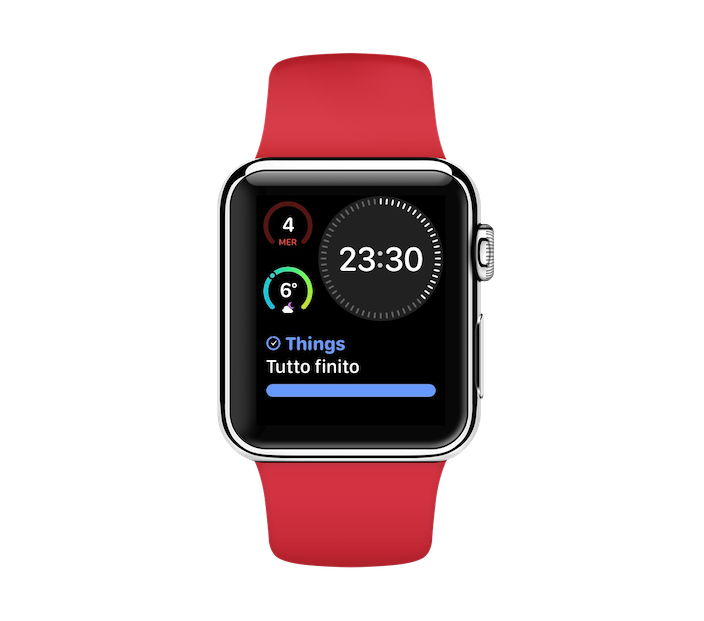
Infograph Modular
Digital
Complications:
- Fantastical
- CARROT Weather
- Things
This is the watch face I use most. I tried many other configurations and different watch face models, but in the end I understood that simplicity must be dominant. With the Fantastical complication I simply see what day it is (number and day of the week), while with CARROT Weather I understand what the weather is like, but above all I understand what the weather is like at a certain moment compared to the weather of the entire day: the complication is developed in such a way that the circle represents the maximum range of temperature variation, and the point shown the temperature at that moment compared to the arc. In this way, in a moment I know whether to expect colder or hotter during the following hours. It seems little, but it is very useful information, without even touching the display.
Workout watch face: easy
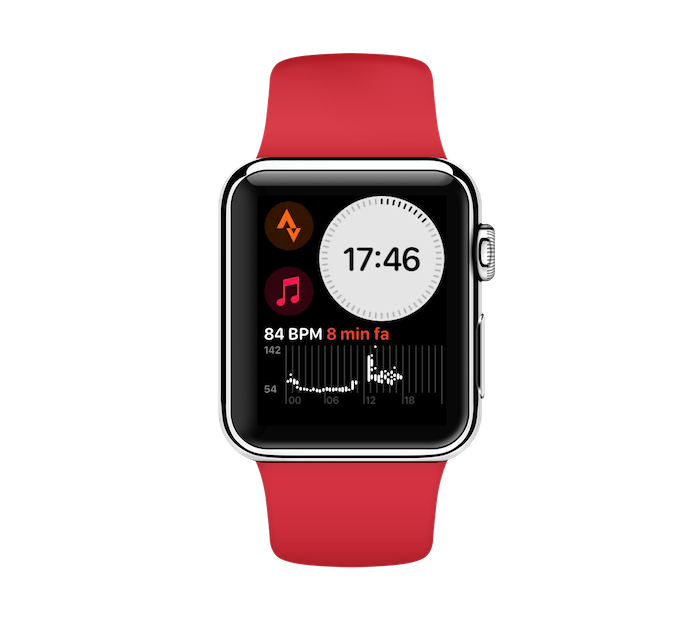
Infograph Modular
Digital
Complications:
- Strava
- Music
- Heart Rate
This is the watch I use (as the name suggests) when I train. With a tap on the Strava complication (which I will soon replace with the native Workout one), I start a session. I configured the automatic playback of a certain playlist at startup, so I tap on the Music complication only if I want to listen to it after I have trained (when the workout ends, the music stops automatically, if it was started automatically). The heart rate display, on the other hand, allows me to understand how quickly I am recovering after a training session, and if I can possibly push myself to train again (if the heart rate is still low enough, it means that either I haven’t warmed up yet, or that I am fit and could give more).
Relax watch face: essential
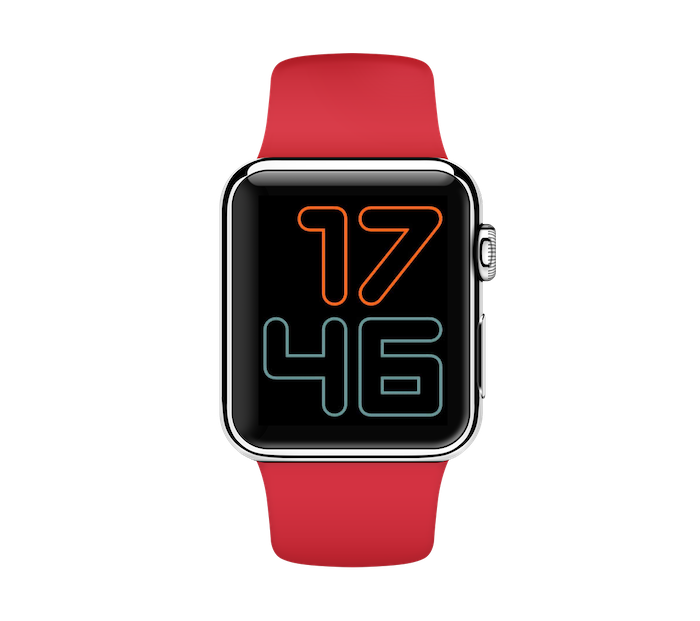
Numerals Duo
Digital
Complications:
none
In the evening, or when I go out for a walk, to distract and relax, I always try to put this watch face, which only has the time, turning off cellular data (usually I take the Android smartphone with me when I don’t work, because the iPhone has all the work apps and the work number): I don’t need to be distracted by anything, I must use the watch only for its main function: telling the time.
In general, I don’t think there is yet a universal method for arranging and selecting apps and interaction systems on the Apple Watch because, although many have it, its use is not yet really widespread: many buy it only to tell the time, others only to record running or swimming.

Giacomo Barbieri
Head of Growth at Routescan. Building at the intersection of crypto infrastructure and AI agents.